
Why Your Internet Isn’t Just About “Speed”
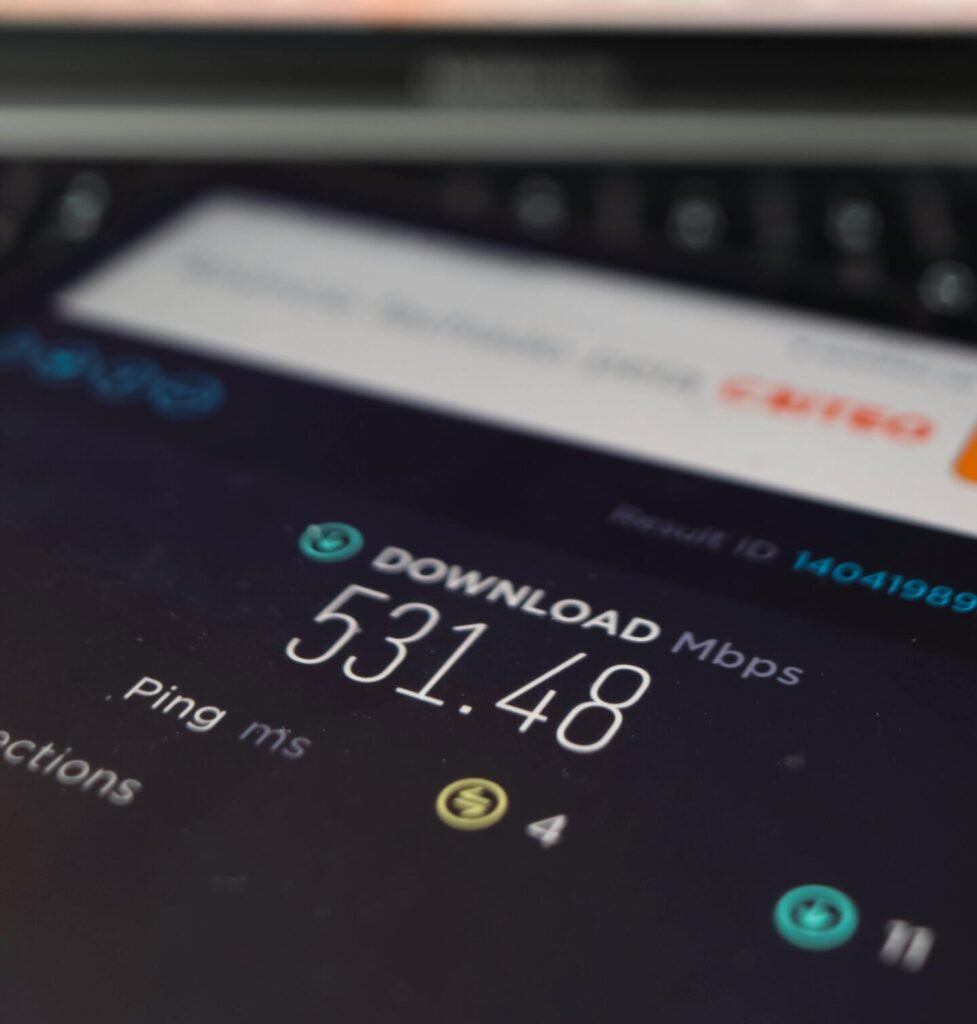
Internet Speeds Explained is more than just a phrase because most people only look at one number when judging their connection. You might hear someone say they have 300 Mbps, yet their internet still feels slow. That’s because real performance depends on several factors working together, not only the speed shown on a plan. If your calls freeze, videos buffer or uploads take too long, it usually means one of the core parts of your connection isn’t performing well.
Maybe your Zoom calls keep freezing. Maybe your videos buffer in the evening. Maybe uploading a simple file takes forever. If your internet feels sluggish or unreliable, it’s not always because your plan is “too slow.” It’s more likely because something else is off.
Your actual internet experience is shaped by four core metrics:
- Download speed – how fast data reaches you
- Upload speed – how fast you send data out
- Latency – how long it takes for data to respond
- Bandwidth – how much your connection can handle at once
Each of these affects different parts of your daily online life streaming, gaming, video calls, backups, or just browsing. And if even one of them is weak, your whole connection can feel broken.
In this guide, we’ll explain what each of these terms really means in plain English and how they actually affect your connection at home. No fluff, no sales pitch, just the facts you need to understand what’s going on with your internet and why it might not be working the way you expect.
Download Speed — The Number Everyone Talks About
When internet providers advertise their plans, download speed is front and center “200 Mbps,” “500 Mbps,” even “1 GIG.” It’s the most familiar number in internet marketing. But what does it actually mean?

What Is Download Speed?
Download speed refers to how fast your device receives data from the internet. It’s measured in megabits per second (Mbps). The higher the number, the faster your device can pull in things like:
- Streaming video (Netflix, YouTube, Hulu)
- Loading websites and images
- Downloading apps, games, and updates
- Scrolling social media feeds
In short: download speed powers everything you “consume” online.
A Real-World Analogy: The Faucet
Imagine the internet is water, and your device is a glass.
- Download speed is how quickly water flows from the tap.
- A faster flow means your glass (your page, video, or file) fills up quicker.
It’s easy to understand why people chase higher download speeds they make streaming smoother and loading faster. But…
Why Download Speed Isn’t Everything
Here’s the catch: even with a high Mbps number, your internet can still feel slow or unstable.
Why?
Because streaming doesn’t need all your speed. Most video services stream in HD with just 5–10 Mbps per device. What actually causes problems is when multiple devices compete for bandwidth, or when your upload, latency, or stability aren’t up to par.
Common misconceptions:
- “I have 300 Mbps, so Zoom should be flawless.” (Zoom depends heavily on upload and latency)
- “My speed test looks fine, but Netflix still buffers.” (You might be experiencing peak-hour congestion)
Summary: When Download Speed Matters Most
You should pay attention to download speed if:
- Your household streams on multiple devices at once
- You regularly download large files, games, or updates
- You want faster web browsing and app responsiveness
But just remember: download is only one piece of the performance puzzle. Next up, we’ll look at the overlooked sibling upload speed and why it can make or break your internet experience.
Upload Speed — The Most Ignored Metric
While download speed gets all the attention, upload speed quietly does a lot of the heavy lifting especially in today’s world of remote work, video calls, and cloud-based everything.
What Is Upload Speed?
Upload speed is the rate at which your device sends data to the internet. It’s also measured in Mbps, just like download speed but most people never check it, and most providers don’t highlight it.
You rely on upload speed more than you think. It powers:
- Sending emails with attachments
- Uploading videos or photos to social media
- Making Zoom or Teams video calls
- Cloud backups (Google Drive, Dropbox, iCloud)
- Streaming live (Twitch, YouTube Live, Instagram Live)
- Security cameras or smart home footage uploads
If download is how fast you get things, upload is how fast you can contribute — and more and more of the internet today is interactive.
Analogy: Uploading Is Like Sending a Package
If download speed is like receiving a delivery, upload speed is like going to the post office to send one.
- With a strong upload, the line is short and efficient.
- With poor upload speed, it feels like you’re stuck behind 30 people mailing boxes everything slows down, and your content takes forever to leave your device.

What Happens When Upload Speed Is Too Low?
This is where users get blindsided. Your connection may test great on download but:
- Zoom video lags or freezes
- File uploads crawl or fail entirely
- Live streams glitch or disconnect
- Cloud backups never finish syncing
It’s especially painful for households where someone works from home or creates content. Many cable and DSL plans offer only 5–35 Mbps upload, compared to 300+ Mbps download and that imbalance leads to frustration.
Why Providers Don’t Emphasize Upload Speed
Upload isn’t ignored by accident it’s a structural limitation of many networks (especially cable).
Fiber connections typically offer symmetrical speeds (e.g., 500 up / 500 down), but cable and DSL often don’t.
Summary: When Upload Speed Becomes a Dealbreaker
Pay close attention to upload speed if:
- You use Zoom or video conferencing for work or school
- You regularly upload photos, videos, or documents
- You rely on smart home devices, cloud backups, or livestreams
- You’ve ever said: “Why is this taking so long to send?”
Latency — Why Fast Internet Can Still Feel Slow
You’ve got a strong signal, your download speed looks great… but your video call keeps lagging or your game feels jumpy. What’s going on?
The likely culprit: latency — the most overlooked performance metric.
What Is Latency?
Latency is the time it takes for data to travel from your device to its destination and back typically measured in milliseconds (ms). It’s also called “ping” in many speed tests.
Unlike download or upload speed, latency isn’t about how much data moves, but how quickly each request and response occurs.
Analogy: Latency Is Like a Conversation Delay
Imagine talking to someone over a walkie-talkie:
- You say something… pause… then hear their response
- That pause? That’s latency.

Even if the sound is clear (like a fast download), that delay makes the conversation awkward.
Now apply that to:
- Online gaming: latency = lag between pressing a button and seeing it happen
- Video calls: latency = awkward gaps between people speaking
- Remote desktop or real-time collaboration: latency = slow feedback and missed timing
Low Latency = Better Real-Time Performance
Here’s how typical latency ranges feel:
| Latency | Experience |
| 5–30 ms | Excellent — real-time smoothness (fiber, some cable) |
| 30–60 ms | Acceptable — minor delay, still usable for video calls |
| 60–100+ ms | Noticeable lag in calls and games |
| 500+ ms | Very delayed — common with satellite connections |
Satellite internet, for example, often has 500+ ms latency due to signal traveling to space and back. Even if download speed is fine, the delay makes it tough to game or video chat smoothly.
Why Latency Isn’t Usually Advertised
Most ISPs don’t list latency because:
- It varies constantly based on traffic, location, and infrastructure
- It’s not easily upgraded especially for satellite or congested cable nodes
- It’s hard to sell compared to big Mbps numbers
Summary: When Latency Becomes the Problem
Latency matters most when:
- You’re gaming online
- You rely on real-time video or voice calls
- You use remote work tools or remote desktops
- Your connection “feels” slow despite high Mbps
Bandwidth — How Internet Slows Down with More People at Home
You might have a high-speed plan, but when your partner jumps on a Zoom call, your kids stream Netflix, and you’re trying to download a file everything crawls. That’s not about speed. That’s about bandwidth.
What Is Bandwidth?
Bandwidth is the total amount of data your connection can carry at once like the width of a highway.
It’s not about how fast each individual car moves (that’s speed), but how many cars can drive at the same time without causing a traffic jam.
- Higher bandwidth = more devices can operate smoothly
- Lower bandwidth = slowdowns when too many devices are active
Bandwidth is typically measured in Mbps, just like speed, but it refers to capacity, not velocity.
Real-World Analogy: Your Internet as a Highway
Think of your connection as a multi-lane road:
- One car (device) moves fine alone
- Add a few more still okay
- At rush hour (multiple Zoom calls + Netflix + downloads), it gets jammed
Even with high download speed, your connection can feel slow if bandwidth is maxed out.

What Causes Bandwidth Bottlenecks?
- Too many active devices at once
- Heavy simultaneous activities: gaming + video calls + streaming + file transfers
- Older routers that can’t handle modern traffic
- Shared neighborhood infrastructure (common with cable internet)
- Wi-Fi signal issues, which reduce usable bandwidth even if your plan is fast
Bandwidth vs. Speed: What’s the Difference?
- Speed = how fast one device can send or receive data
- Bandwidth = how much data can move through your connection at once
You can have:
- High speed + low bandwidth = great for one device, terrible for multitasking
- Low speed + high bandwidth = okay for light use, but still slow overall
- Ideal: a balance between both
Summary: Why Bandwidth Affects Whole-Household Performance
You’ll run into bandwidth issues if:
- Your home has 4+ connected devices using the internet at once
- Multiple people are doing high-demand tasks (streaming, conferencing, downloading)
- You’re using older routers or poor Wi-Fi setups
Bandwidth is where many “good speed” plans fall short especially in homes with more users, smart devices, or hybrid workers.
Real-Life Scenarios — What Breaks When One Metric Fails
Understanding download, upload, latency, and bandwidth is one thing — but it’s much easier when you see how each one causes problems in the real world.
Below is a quick breakdown of common internet frustrations and what’s usually behind them:
| Scenario | Symptom | Likely Cause |
| Zoom call keeps freezing or cutting out | You can see others, but they can’t see/hear you clearly | Low upload speed or high latency |
| Online game feels slow or unresponsive | Lag, missed inputs, “rubber-banding” | High latency |
| Netflix or YouTube buffers in the evening | Video stops, drops to low quality | Congested bandwidth (especially on shared cable lines) |
| Cloud backup never finishes syncing | Files stuck uploading | Poor upload speed |
| Web pages take forever to load | Sluggish browsing, even with “good” speeds | High latency or network congestion |
| Internet is fine until 3+ people get online | Everyone’s connection slows down | Insufficient bandwidth |
What This Table Tells You
- A high Mbps number doesn’t solve everything and often hides the real issue
- Each internet activity has a different weak point:
- Video calls need good upload + low latency
- Streaming needs stable download + bandwidth
- Gaming needs low latency
- File syncing needs strong upload
- Video calls need good upload + low latency
Your Experience = The Weakest Link
Even if 3 of the 4 metrics are great, one bottleneck is all it takes to make your connection feel broken. The key is to recognize which one is underperforming — and how it’s affecting what you’re trying to do.
The Speed Trap — Why 300 Mbps Doesn’t Guarantee a Good Experience
When you sign up for an internet plan that promises 300 Mbps or more, it sounds like you’re getting top-tier performance. But the truth is, that big number doesn’t guarantee a smooth connection.
Why? Because speed is only one part of the equation and often, it’s not the part that’s failing you.
What ISPs Advertise vs What You Actually Experience
Internet providers promote download speeds because:
- It’s the biggest number
- It’s easy to understand
- It looks competitive (even when upload or latency are weak)
But what they don’t tell you is that:
- Upload speeds may be 10x slower (and affect video calls, backups)
- Latency can spike during peak hours
- Your connection might be shared with neighbors (in cable systems)
- Your router or Wi-Fi setup can choke performance inside the home
Example: Fiber 100 Mbps vs Cable 300 Mbps
| Metric | Fiber Plan (100 Mbps) | Cable Plan (300 Mbps) |
| Upload Speed | 100 Mbps | 10 Mbps |
| Latency | 10–15 ms | 30–60 ms |
| Evening Congestion | Rare | Common (shared node) |
| Zoom/Cloud Sync | Fast and smooth | Buffering, delays |
Winner? In real-world performance, the slower fiber plan may feel better than a faster cable plan because the underlying performance factors (upload, latency, consistency) are stronger.
Why Speed Tests Can Be Misleading
You run a speed test and see great numbers. But:
- Are you testing over Wi-Fi or wired?
- Were others using the network at the same time?
- Did it measure latency, jitter, or upload quality?
Speed tests give a snapshot but don’t reflect how your internet behaves under pressure.
Summary: Don’t Be Fooled by Big Numbers
A 300 or 500 Mbps plan might be more than you need or it might still fall short, depending on:
- Your upload demands
- Your latency tolerance (for calls or games)
- How many people/devices are online at once
Instead of chasing the highest number, focus on getting the right balance for how you actually use the internet.
How to Test Your Internet the Right Way
Speed tests are a good starting point but only if you know what to look for. A single number doesn’t tell the whole story. Here’s how to test your connection in a way that actually reflects how your internet performs in real life.
1. Use the Right Tools
The most trusted free tools:
- Speedtest.net (by Ookla)
- Fast.com (by Netflix — good for streaming speed check)
- Google’s built-in speed test (just search “speed test”)
- PingPlotter or DSLReports (for more detailed latency/jitter analysis)
2. Test These 4 Metrics — Not Just Download Speed
Here’s what to look for on your test results:
| Metric | What It Means | What You Want |
| Download Speed | How fast you receive data | 50–500+ Mbps (depends on household) |
| Upload Speed | How fast you send data | At least 10 Mbps (higher for WFH or creators) |
| Ping/Latency | Delay in communication | Under 30 ms = ideal |
| Jitter | Variability in latency | Lower is better (<10 ms for smooth experience) |
3. Test Under Real Conditions
To get an accurate picture, test:
- On Wi-Fi and Ethernet (wired is more stable)
- At peak and off-peak hours (e.g. 9 a.m., 7 p.m., midnight)
- When multiple people/devices are online
- In different rooms (if on Wi-Fi)
4. Don’t Just Test Once — Look for Patterns
Your internet might perform well one moment and slow the next. Try running tests:
- Over a few days
- During different types of activity (streaming vs Zoom)
- After you reset your router or upgrade equipment
5. What If Your Numbers Look Good But Things Still Feel Slow?
This is a common scenario. Likely causes:
- High latency or jitter (especially on Wi-Fi or satellite)
- Bandwidth congestion from multiple users
- Router limits or signal interference
- ISP-level throttling or peak-hour congestion
That’s why it’s crucial to check all four metrics not just download speed.
Final Thoughts — Speed Is a Mix of Behaviors, Not a Single Number
When your internet works well, everything just… works. But when it doesn’t, the problem isn’t always solved by upgrading to a “faster” plan.
Because internet speed isn’t a single number it’s the result of how four different performance factors work together:
- Download speed affects how fast you stream or browse
- Upload speed powers your calls, backups, and content sharing
- Latency shapes how responsive your connection feels
- Bandwidth determines how well your internet handles multiple devices at once
If even one of those is weak, your whole experience suffers no matter how high your Mbps looks on paper.
At Quick Broadband, we believe in helping you make clear, informed choices not chasing the biggest number. Whether you’re working from home, gaming, streaming, or just trying to avoid frustration, understanding how your internet behaves is the first step to getting more from it.
No tech jargon. No sales pressure. Just the facts that help you take control of your connection.