

Why “Fast” Internet Isn’t One-Size-Fits-All
How much internet speed do I need is one of the most common questions households ask when choosing an internet plan. Internet providers love to advertise big numbers: “300 Mbps!” “1 Gigabit!” “Ultra-fast speeds!”
But here’s the truth: those numbers don’t mean much unless they match how your household actually uses the internet.
You might be a single person watching Netflix on a laptop, a family of five juggling video calls and streaming in every room, or a remote worker who needs your Zoom connection rock solid at 9 a.m. sharp.
And each of those scenarios requires a different kind of connection.
In this guide, we’re skipping the tech jargon and confusing speed charts. Instead, we’ll help you understand how much speed you really need — based on how many people live in your home, what kinds of things you do online, and where performance tends to break down.
No pressure to upgrade. No one-size-fits-all advice. Just a clear, practical look at how to match your internet plan to your real-world habits one room (and one user) at a time.
The Only 3 Internet Speed Metrics You Really Need to Understand
When it comes to internet speed, you don’t need to memorize dozens of terms. Just focus on these three they shape nearly every part of your online experience.
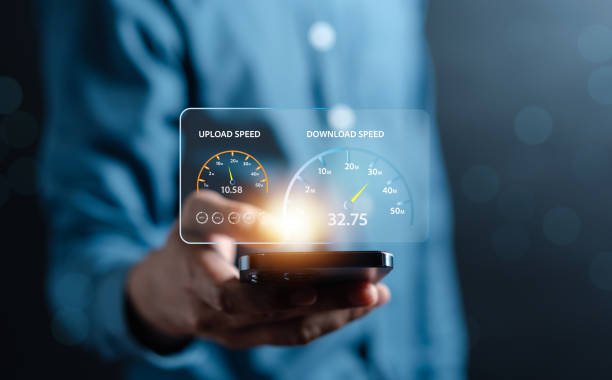
1. Download Speed
This is the number internet providers love to promote.
What it is:
How fast your device can receive data from the internet.
Why it matters:
- Streaming movies
- Loading websites
- Downloading apps or files
- Scrolling social media
Everyday example:
If you’re watching Netflix or downloading an email attachment you’re using download speed.
2. Upload Speed
Often overlooked but incredibly important, especially for work or content creation.
What it is:
How fast your device can send data to the internet.
Why it matters:
- Video calls (Zoom, Teams)
- Sending large email attachments
- Uploading photos/videos to social media or cloud storage
- Livestreaming, online gaming voice chat
Everyday example:
If people say they can’t hear you on Zoom your upload speed may be too low.
3. Latency (a.k.a. Ping)
Speed is about how much data moves. Latency is about how fast it reacts.
What it is:
The delay (in milliseconds) between sending a request and getting a response.
Why it matters:
- Online gaming
- Real-time video calls
- Remote desktop or remote file access
Everyday example:
If your game lags or a call has that awkward delay between speaking and hearing a response latency is the issue.
These three numbers download, upload, and latency work together to create your internet experience. You don’t always need “more speed”; sometimes, you just need the right balance for your household’s needs.

How Much Internet Speed Do I Need for One Person
If you live alone and your internet needs are fairly straightforward, the good news is: you probably don’t need a huge internet plan.
What Solo Users Typically Do Online
- Stream Netflix or YouTube on one device
- Browse the web, check email, scroll social media
- Attend the occasional Zoom or video call
- Download updates or use cloud-based apps occasionally
Recommended Speed:
50–100 Mbps download
10+ Mbps upload
Low latency preferred if you game or video call regularly
This is enough to cover smooth HD streaming, light multitasking, and stable video calls without overpaying for speed you won’t use.
When You Might Need More
Even as a solo user, your needs can grow if:
- You stream in 4K resolution or have a smart TV and laptop online at once
- You work from home and use Zoom, Google Drive, or Microsoft Teams daily
- You play online games and need low latency for fast response
- You have a lot of smart home devices (cameras, thermostats, voice assistants)
If that’s the case, jumping to the 150–200 Mbps range can add headroom without going overboard.
Pro Tip: Watch for Upload Gaps
Most solo users focus on download speed but if you notice:
- Lag on Zoom
- Delays sending files or uploading photos
- Cloud backups taking forever
…it may be your upload speed holding you back. A basic plan with only 5 Mbps up may not cut it for modern work-from-home life.
Internet for Couples or Roommates — Sharing the Lane
Living with one or two other people means more devices, more multitasking, and a greater chance that everyone’s online at the same time especially during evenings or work hours.
Typical Shared Household Internet Habits
- Two laptops streaming shows or YouTube simultaneously
- One person on Zoom while another scrolls Instagram or plays music
- Shared smart devices like speakers, TVs, or security cams
- Casual online gaming or cloud storage use
Recommended Speed:
150–300 Mbps download
10–20 Mbps upload
Low-to-moderate latency (under 40 ms for smooth video calls or light gaming)
This gives enough room for simultaneous activity without noticeable slowdowns or buffering.
What to Watch For
- Zoom freezes while Netflix is running → upload speed might be stretched thin
- Webpages slow to load in the evening → may indicate congestion or low bandwidth
- Dead zones in one room → more likely a router placement issue than an internet speed problem
Smart Strategy: Offset Your Usage
If your schedules are different say, one person works remotely during the day while the other streams at night you may not need to bump up your plan.
But if you’re all online at once, especially for video or large downloads, extra headroom can prevent frustration.
How Much Internet Speed Do Families Really Need
In family households, the challenge isn’t just how much speed you need it’s how many people and devices are using it all at once.
What a Typical Family Internet Load Looks Like
- Multiple people streaming video simultaneously (TVs, tablets, phones)
- Kids playing online games or attending school remotely
- Parents working from home via Zoom, Teams, or VPN
- Background devices: smart speakers, thermostats, security systems, cloud backups
- Occasional large downloads, updates, or shared drives
Recommended Speed:
300–500+ Mbps download
20–50 Mbps upload (especially for work/school)
Consistent latency below 30–40 ms
You’re not just powering devices you’re powering a networked home. And it has to perform well even under peak pressure.
Bandwidth, Not Just Speed
With families, the key issue often isn’t raw speed it’s congestion.
Example:
- A 300 Mbps plan is plenty… until four people are streaming, one is uploading to Google Drive, and someone else is gaming online.
- That’s when bandwidth gets maxed out, and everything slows down even if your provider says your speed is “fast enough.”
Tips to Make It Work Smoother
- Upgrade your router or consider a mesh Wi-Fi system for multi-room coverage
- Schedule large downloads (game updates, backups) outside peak family hours
- Prioritize devices on your router settings give Zoom calls or work laptops a traffic boost
- Keep an eye on upload speed, especially if multiple people are on video calls
As we shift into more specific user profiles, next up is the remote worker someone who might not use a lot of bandwidth, but needs stability and consistency more than anything else.
Internet for Remote Workers — Stability > Speed
If you work from home, you know that a stable connection isn’t just nice to have it’s essential. Glitchy calls, slow uploads, or even momentary drops can derail your productivity and credibility.
What Remote Work Really Needs
- Reliable Zoom/Teams/Meet video calls
- Steady VPN or remote desktop performance
- Cloud-based tools (Google Drive, Dropbox, Microsoft 365)
- File uploads and real-time document editing
- Occasional large downloads (e.g., creative files, software updates)
Recommended Speed:
100–300 Mbps download
20–35+ Mbps upload (higher if you send large files or use cloud backup)
Latency under 30 ms for responsive calls and tools
Remote work isn’t always bandwidth heavy but it can’t afford instability.
Common Issues for Home Professionals
- Laggy video or echo on calls → often due to poor upload or high jitter
- Disconnected from VPN or work apps → spotty Wi-Fi or latency spikes
- Cloud files not syncing → limited upload or ISP throttling
Tips for Better WFH Internet
- Use Ethernet for your work laptop if possible — more stable than Wi-Fi
- Choose fiber or symmetrical plans when available (faster uploads)
- Schedule large file transfers or backups during off hours
- Keep smart TVs, game consoles, and streaming off your work router if possible
Internet for Streamers, Gamers & Creators — When Speed (and Ping) Matter
For heavy users whether you’re streaming on Twitch, gaming competitively, or uploading 4K video your internet needs go beyond the basics. It’s not just about speed. It’s about responsiveness, reliability, and real-time performance.
What High-Demand Users Actually Do
- Livestreaming gameplay or video content
- Competitive online gaming (console or PC)
- Large file uploads (video editing, design, photography)
- Real-time audio/video production or collaboration
- Hosting virtual events or webinars
Recommended Speed:
Streamers & content creators:
300–500+ Mbps download
25–50+ Mbps upload
Latency under 30 ms
Gamers:
50–100 Mbps download (speed isn’t the bottleneck)
Upload isn’t critical, but…
Latency < 20 ms = smoother response
Jitter < 10 ms = stable experience
Common Frustrations (and What Causes Them)
- Twitch stream lags or disconnects → low upload bandwidth or jitter
- Gaming inputs feel delayed → high ping or unstable latency
- Videos take forever to upload → slow or asymmetric upload speeds
- Livestream audio glitches → congestion or router limitations
Best Practices for Performance-Driven Use
- Use a wired Ethernet connection for gaming or live work
- Prioritize traffic (QoS settings) in your router for upload-intensive tasks
- Consider upgrading your router if it’s older than 3–5 years
- Choose fiber or hybrid fiber when available it’s more stable and symmetrical
How Much Internet Speed Do You Need Room by Room
Understanding how much internet speed do I need often becomes clearer when you look at internet usage room by room. You don’t use the internet the same way in every part of your home and neither do your devices. This section breaks down where the real bandwidth gets used, helping you visualize how everyday activity stacks up across your space.
| 🏠 Room | 📱 Typical Devices | ⚡ Bandwidth Needs (Est.) |
| Living Room | Smart TV, streaming box, gaming console | 15–50 Mbps per 4K stream or game |
| Office | Laptop, webcam, phone, printer | 10–25 Mbps down / 10–30 up (for calls, uploads) |
| Kitchen | Smart speaker, tablet, recipe videos | Under 10 Mbps |
| Bedrooms | Tablets, phones, smart TVs, gaming handhelds | 10–25 Mbps per device |
| Basement/Loft | Home gym screen, console, security cams | 5–15 Mbps (stream + upload) |
What This Tells You:
- Rooms with screens and cameras eat up the most bandwidth
- A “light use” room can still slow things down if it’s on the edge of your Wi-Fi range
- Smart homes with always-on devices (security cams, cloud-connected speakers) use more than you think especially on upload
Warning Signs You’re Under-Provisioned (and When You’re Not)
A slow connection doesn’t always mean you need more speed. Sometimes, it’s a device issue, a router problem, or just poor Wi-Fi coverage. But in some cases, you really are maxing out your current plan.
Here’s how to tell the difference.
Signs You Might Need More Speed or Bandwidth
- Video calls regularly freeze or drop when others are online
- Streaming quality drops to SD or buffers frequently
- File uploads crawl or time out entirely
- Online games lag noticeably, especially during peak hours
- Multiple devices disconnect or slow down when used at once
If these happen consistently and you’ve already optimized your setup your current plan might not be cutting it.
But Sometimes… It’s Not Your Internet Plan
Common speed killers that have nothing to do with your Mbps:
- Old router that can’t handle modern speeds or multiple devices
- Poor Wi-Fi coverage, especially in large homes or concrete-walled apartments
- Outdated devices (slow phones, old laptops, etc.) struggling to process content
- Congested time of day (on cable connections especially everyone’s online after dinner)
Before upgrading your plan, it’s worth checking:
- Can your current router support your full speed?
- Have you tested with a wired connection?
- Are the issues limited to one room or one device?
Final Thoughts — Buy the Right Plan, Not the Biggest Plan
If you’re still wondering how much internet speed do I need, the answer depends less on advertised Mbps and more on how your household actually uses the internet. You don’t need the fastest internet on the block. You just need the right speed for your home, your devices, and your lifestyle.
Here’s what really matters:
- A single person streaming and browsing? 50–100 Mbps may be plenty
- A busy household with kids, calls, and TVs? 300–500 Mbps gives breathing room
- Remote workers, gamers, and creators? Pay close attention to upload speed and latency not just download numbers
- Live in a large home or have Wi-Fi dead zones? You might need a better router, not a bigger internet plan
Most importantly: if your connection works well, don’t feel pressured to upgrade just because your ISP offers a bigger number.
At Quick Broadband, we believe in clear, honest guidance not speed hype. Understanding your internet needs is the first step to getting a connection that works better for you, without paying for more than you need.